It usually starts with a “quick question.”
An employee cannot remember how to issue a refund. A vendor needs approval, but no one knows who can authorize the purchase. A customer complaint lands in the wrong inbox. Payroll is due, a password is missing, and the one person who knows what to do is unavailable.
In many small businesses, that one person is the owner.
When every answer lives in your head, the business may look organized from the outside while feeling exhausting behind the scenes. You become the instruction manual, approval system, help desk, and emergency contact. Even capable employees hesitate because the rules change depending on who they ask. Tasks get completed, but not always the same way. Important details survive through memory, text messages, sticky notes, and “the way we have always done it.”
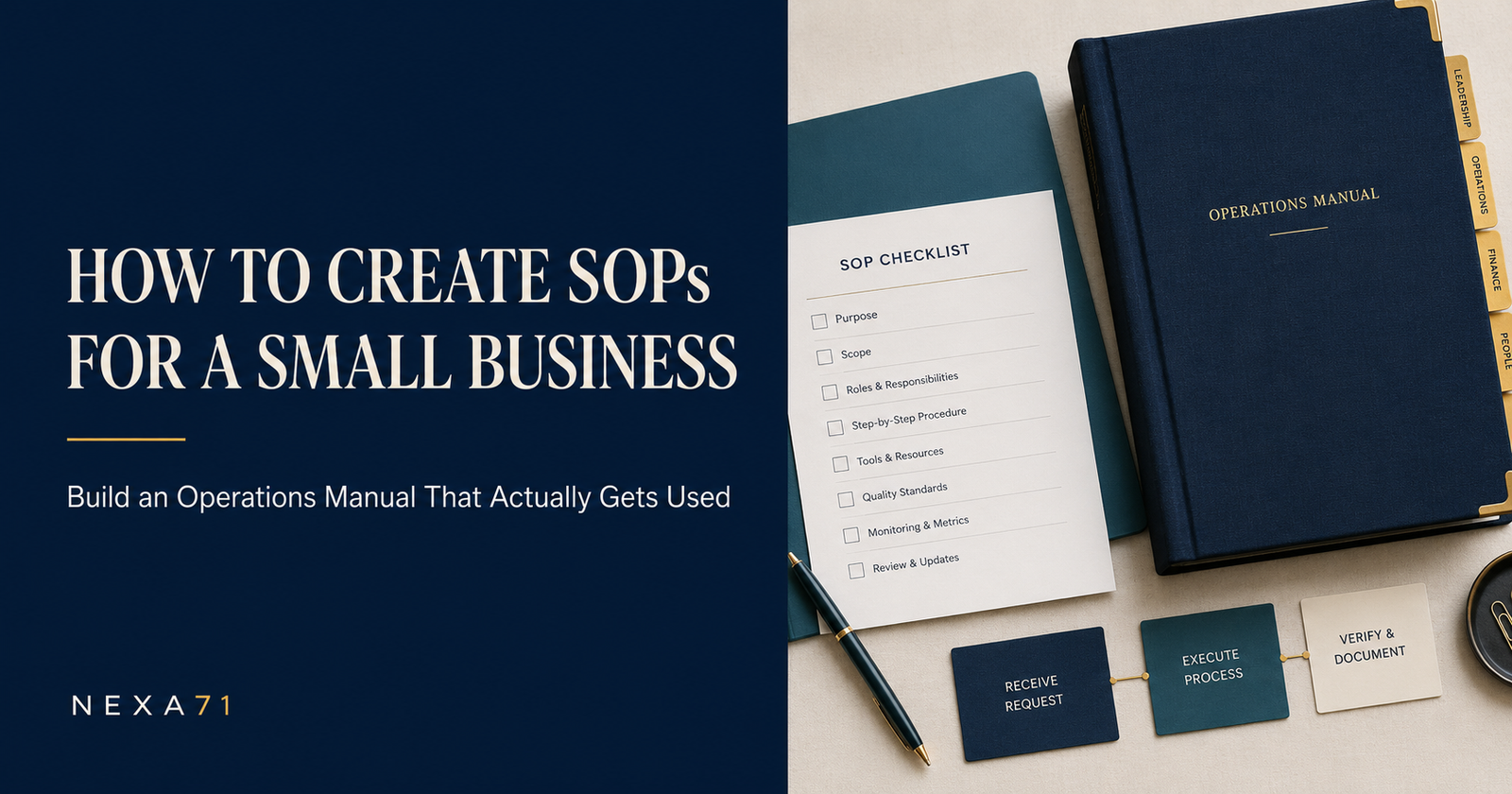
Standard operating procedures—usually called SOPs—give those details a dependable home. They turn repeated work into clear instructions that other people can follow. When those SOPs are placed inside a well-organized operations manual, they become part of a larger system for running the business consistently.
This guide explains how to create SOPs for a small business without burying your team in paperwork. You will learn what to document first, what every useful SOP should contain, how to test it, how to organize an operations manual, and how to keep the entire system current as your company changes.
If you would rather begin with an editable structure instead of a blank document, The Business Operations System™ was designed to provide that starting point. But first, it helps to understand what a strong operational system is supposed to do.

What Is an SOP?
An SOP is a written set of instructions for completing a specific recurring task or process. It answers a practical question: “How do we do this here?”
For example, an SOP might explain how your company:
- Opens and closes a location
- Responds to a new customer inquiry
- Approves a purchase
- Onboards a vendor
- Creates and sends an invoice
- Handles a return or complaint
- Backs up important files
- Reports a workplace incident
- Prepares for a service interruption
- Offboards an employee or contractor
An SOP is not meant to capture every possible thought that could occur during a task. It should give a trained person enough information to complete the work correctly, make routine decisions, recognize exceptions, and know when to ask for help.
That last point matters. A good SOP does not pretend that every situation is predictable. It defines the normal path and provides guardrails for the unusual ones.

SOP, Policy, Process, Checklist, and Operations Manual: What Is the Difference?
These terms are often used interchangeably, which is one reason business documentation becomes confusing. They are related, but each has a different job.
A policy establishes a rule or expectation. A purchasing policy might state that purchases over a certain amount require written approval.
A process describes the overall flow of work. A purchasing process could begin with identifying a need and end with payment, recordkeeping, and vendor review.
An SOP explains how to complete a defined part of that process. An SOP might show an employee how to submit a purchase request, compare quotes, or enter an approved vendor into the system.
A checklist confirms that important actions were completed. A closing checklist may remind an employee to secure cash, turn off equipment, lock doors, and activate the alarm.
An operations manual organizes the larger operating system. It can include company information, roles, policies, recurring procedures, approval rules, emergency plans, forms, templates, and links to individual SOPs.
Think of the operations manual as the map and the SOPs as the turn-by-turn directions. The map helps someone understand the business as a whole. The directions help that person complete a specific task.
Why Small Businesses Need SOPs Earlier Than They Think
Many owners assume formal procedures are only necessary after a business becomes large. In practice, documentation is often most valuable during the awkward middle stage: the company has enough customers and moving parts to be complicated, but not enough management layers to absorb confusion.
The U.S. Small Business Administration’s business guide separates day-to-day management into areas such as finances, employees, compliance, assets, cybersecurity, emergency preparation, and growth. That range reflects an important reality: even a small company has many operating responsibilities. The headcount may be small, but the work is not.
Here is what well-written SOPs can change.
Work Becomes More Consistent
Without written standards, two employees may complete the same task in two different ways. One follows the owner’s current preference. Another follows instructions received six months ago. A third invents a method that seems reasonable.
Consistency does not mean eliminating good judgment. It means establishing a reliable baseline. Customers receive a similar experience. Financial controls are followed. Required information is collected. Important steps are less likely to be skipped.
Training Becomes More Practical
New hires should not have to reconstruct their jobs from scattered conversations. A manager can explain the work, demonstrate it, and then point to the written procedure for reinforcement.
The SOP also protects the trainer from relying on memory. Even experienced employees can forget steps when they are interrupted or rushing.
Delegation Becomes Safer
Owners often say, “It is faster if I do it myself.” That may be true today. It becomes expensive when the same task returns every week.
Delegation is easier when the desired outcome, decision limits, and quality checks are visible. Instead of handing someone a vague responsibility, you are giving that person a repeatable method and a clear definition of “done.”
The Business Becomes Less Dependent on One Person
If a key employee leaves, becomes ill, or takes a well-earned vacation, undocumented knowledge leaves with that person. SOPs do not replace experience, but they preserve critical information and make cross-training possible.
This matters during ordinary absences and major disruptions. Ready.gov recommends organizing a continuity team and compiling a business continuity plan to manage disruptions. A continuity plan is much easier to use when the company has already identified its essential processes, responsible people, systems, contacts, and recovery steps.
Improvement Becomes Measurable
You cannot improve a process consistently if no one agrees on the current process. Once the steps are documented, the team can identify delays, repeated errors, unnecessary approvals, and opportunities to automate.
An SOP is not a museum piece. It is a working baseline that can be tested and improved.

Seven Signs Your Business Is Ready for SOPs
You do not need to wait for a crisis. Your company is probably ready for better procedures if any of the following sound familiar:
- Employees repeatedly ask the same operational questions.
- Customers receive different answers depending on who responds.
- Important tasks are delayed when one particular person is unavailable.
- Training a new employee requires days of verbal explanation with no reference material.
- The owner approves nearly every decision, including routine ones.
- Mistakes are fixed individually, but the underlying process never changes.
- Procedures are scattered across emails, shared drives, notebooks, chat messages, and people’s memories.
One sign is enough to begin. The goal is not to document the entire company in a weekend. The goal is to remove one recurring point of confusion at a time.
What Should You Document First?
The fastest way to make an SOP project feel impossible is to start with a blank list titled “Everything We Do.” Instead, choose processes using three practical filters: frequency, risk, and dependency.
Frequency
How often is the process performed? A task completed daily or weekly usually deserves attention before a task completed once every three years.
Risk
What could happen if the process is completed incorrectly or not completed at all? Consider financial loss, customer harm, safety, legal exposure, data loss, missed deadlines, and damage to the company’s reputation.
Dependency
How many people rely on one person to complete or explain the process? A task becomes a strong documentation candidate when the business stops or slows down whenever its “keeper” is absent.
A simple scoring method can help. Rate each process from one to five for frequency, risk, and dependency. Add the scores and begin with the highest totals. The scoring does not need to be scientific. Its purpose is to prevent the loudest request of the day from becoming your entire documentation strategy.
For many small businesses, a useful first group includes:
- Opening and closing procedures
- New customer or client onboarding
- Order fulfillment or service delivery
- Billing, payment collection, and refund handling
- Purchase approval and vendor onboarding
- Customer complaint escalation
- Employee or contractor onboarding
- Password access and account removal
- Data backup and file recovery
- Emergency communication and business continuity
Your list will depend on your niche. A restaurant, consulting firm, online store, childcare provider, construction company, and nonprofit will not need identical procedures. The framework can be reusable even when the content must be customized.

How to Create an SOP for a Small Business
The strongest SOPs are not written in isolation by someone guessing how the work should happen. They are built from the real process, tested by the people who use it, and approved by someone with authority to set the standard.
Step 1: Define the Outcome
Start with the result, not the document.
“Write a refund SOP” is a documentation assignment. “Process an eligible refund accurately within two business days and notify the customer” is an operational outcome.
The outcome helps you decide which steps belong in the SOP and which do not. It also gives you a way to determine whether the procedure works.
Write one plain sentence answering: What should be true when this procedure is complete?
Step 2: Set the Scope
Scope defines where the SOP begins, where it ends, and when it applies.
For a refund procedure, the beginning might be receipt of a completed refund request. The end might be the customer notification and the filing of supporting records. The SOP may apply to standard refunds but exclude chargebacks, suspected fraud, or transactions above a specific amount.
Clear boundaries prevent one SOP from becoming a 40-page attempt to explain every related business activity.
Step 3: Identify the Owner and Participants
Every SOP needs an owner. The owner is responsible for keeping the procedure accurate, gathering feedback, and initiating reviews. The owner does not have to perform every step.
Also identify the people or roles involved. Use role names rather than employee names whenever possible. “Operations Manager” survives a staffing change. “Ask Jordan” does not.
Document decision authority. Who may approve an exception? Who may spend money? Who must be notified? What requires escalation?
This is where many procedures quietly fail. They explain the task but not the authority surrounding it.
Step 4: Capture the Process as It Actually Happens
Do not begin by polishing sentences. Observe the work.
Ask the person who performs the task to complete it while explaining what they are doing. Record the major steps, systems used, information needed, decisions made, delays encountered, and common exceptions.
Useful questions include:
- What triggers this process?
- What do you need before you can begin?
- Where does the information come from?
- What tells you the task was completed correctly?
- What commonly goes wrong?
- What do you do when information is missing?
- Who approves an exception?
- What record must be saved, and where?
- What part of this task exists only in your memory?
If the process is digital, screenshots can help, but avoid turning the SOP into a scrapbook of every click. Interfaces change. Use screenshots for confusing decisions or hard-to-find fields, then pair them with written instructions that explain the purpose.
Step 5: Remove Waste Before You Formalize It
Documentation can accidentally preserve a bad process. Before writing the final version, look for steps that exist only because “we have always done it that way.”
Ask:
- Is the same information entered more than once?
- Is an approval required even when the decision has no meaningful risk?
- Does the work wait in someone’s inbox without a deadline?
- Could a template prevent repeated writing?
- Could two steps be combined?
- Is the company collecting information it never uses?
- Does the process rely on a tool or login that only one person can access?
Simplify first. Then document the improved process.
Step 6: Write in the Order the Work Occurs
Use direct language and start each action with a verb. For example:
Weak: “The form should be reviewed for completeness.”
Stronger: “Review the form and confirm that the customer name, order number, reason for return, and requested resolution are complete.”
Weak: “Management may need to be contacted.”
Stronger: “Send requests over $500 to the Operations Manager for written approval before processing the refund.”
Specific instructions reduce hesitation. They also make gaps easier to spot.
Use everyday language unless a technical or legal term is necessary. Define unfamiliar acronyms. Keep each step focused on one action or a closely related group of actions. If a step contains five “ands,” it probably needs to be divided.
Step 7: Add Decision Points and Exceptions
Real processes contain choices. A useful SOP explains the conditions for those choices.
Instead of writing “Escalate when necessary,” explain what “necessary” means. Examples might include:
- The customer threatens legal action.
- The refund amount exceeds the employee’s approval level.
- The transaction shows signs of fraud.
- The customer reports an injury or safety issue.
- Required documentation is unavailable.
You do not need to predict every exception. Cover the common ones, identify high-risk triggers, and provide a clear escalation path for everything else.
Step 8: Define the Evidence of Completion
How will someone know the procedure was finished?
The answer may involve a confirmation email, system status, signed form, saved receipt, updated tracker, manager approval, completed checklist, or customer acknowledgment.
This step connects the procedure to accountability. “Handle the request” is difficult to verify. “Update the request status to Closed, attach the approval, and send the customer confirmation template” is observable.
Step 9: Test the SOP With Someone Else
The author is the least reliable tester because the missing information is already in their head.
Give the draft to a trained employee who did not write it. Ask that person to follow the instructions without coaching. Watch where they pause, interpret, backtrack, or ask questions.
Do not treat those moments as proof that the employee was not paying attention. Treat them as information about the document.
Revise the procedure, test it again, and obtain approval from the appropriate owner or manager.
Step 10: Publish, Train, and Use It
An SOP does not become operational merely because it exists in a shared folder.
Tell employees what changed, why it matters, when the new procedure takes effect, and where the official version is stored. Demonstrate the process when needed. Ask employees to use the SOP during the first several repetitions instead of relying on memory.
Managers must follow the documented process too. If leadership routinely ignores it, employees will correctly conclude that the document is optional.

What Every Useful SOP Should Include
A consistent template makes SOPs easier to write and easier to use. At minimum, include:
- Title: A specific name that begins with the task or outcome
- Document ID: A simple reference number if your library will be large
- Purpose: Why the procedure exists
- Scope: When it applies and what it excludes
- Owner: The role responsible for maintaining it
- Roles and responsibilities: Who performs, approves, supports, or receives information
- Required tools or inputs: Systems, forms, records, equipment, or information needed
- Procedure: Numbered actions in the order performed
- Decision points: Conditions that change the normal path
- Exceptions and escalation: When to stop, ask, report, or obtain approval
- Records: What must be saved and where
- Quality check: How completion and accuracy are confirmed
- Related documents: Policies, forms, checklists, or other SOPs
- Effective date and revision history: When the procedure began and what changed
Not every SOP needs a diagram, glossary, three approval signatures, or a ten-line revision table. Add structure because it helps people work—not because it makes the document look official.
How to Build an Operations Manual Around Your SOPs
Individual SOPs solve individual problems. An operations manual connects those solutions to the way the company is organized.
A complete small business operations manual may include the following sections.
Business Foundation
Include the company profile, mission, vision, core values, goals, products or services, locations, organizational structure, and key contacts. Keep it practical. Employees should be able to understand what the company does, whom it serves, and how it is organized.
Leadership and Decision Authority
Document leadership roles, departmental responsibilities, approval levels, delegation rules, communication expectations, and decision-making authority. This section reduces the habit of sending every question to the owner.
Employee Management and Workplace Policies
Organize hiring, onboarding, training, performance reviews, recognition, corrective action, separation, attendance, confidentiality, conflicts of interest, safety, remote work, and conduct expectations.
Employment requirements vary by location and industry. Have qualified human resources or legal professionals review policies that create legal obligations or affect employee rights.
Daily and Recurring Operations
Include opening, closing, daily, weekly, monthly, quarterly, and annual routines. A recurring operations calendar is especially useful because it answers both “What do we do?” and “When do we do it?”
Purchasing, Vendors, Inventory, and Assets
Document purchase requests, approval levels, emergency purchases, vendor selection and onboarding, contract records, performance reviews, receiving, equipment tracking, maintenance, and disposal.
Financial Operations
Include accounts payable, accounts receivable, reimbursements, company cards, deposits, budgets, financial reporting, and record retention. Procedures should clearly separate who requests, approves, pays, records, and reviews transactions whenever the size of the company allows it.
The SBA recommends maintaining and using financial statements such as balance sheets to understand assets, liabilities, equity, employees, supplies, and business segments. Your manual should identify who prepares financial information, how often it is reviewed, and where supporting records are retained.
Customer Experience
Document communication standards, complaints, service recovery, returns, refunds, follow-up, accessibility, and quality assurance. Include response-time expectations and escalation triggers, not just general instructions to “provide excellent service.”
Technology and Information
Cover acceptable computer use, password and access standards, software approval, backups, file organization, record management, cybersecurity, and responsible use of artificial intelligence.
NIST provides a Cybersecurity Framework 2.0 Quick Start Guide specifically for smaller organizations with modest or no cybersecurity plan. That is a useful reminder that cybersecurity procedures belong in the operating system of the business, not only in the IT department.
Risk, Safety, and Business Continuity
Include emergency response, incident reporting, insurance records, crisis communication, continuity planning, and recovery responsibilities. Ready.gov advises businesses to document IT disaster recovery as part of continuity planning and test the plan periodically. OSHA also offers safety and health resources specifically for small businesses.
Forms, Templates, and SOP Library
Store the forms and templates employees need to perform the procedures. Link each item to the related policy or SOP. A form without context becomes clutter; a procedure without its required form creates frustration.
Growth and Continuous Improvement
Include annual reviews, strategic planning, operational measures, lessons learned, expansion planning, and the process for proposing improvements. This turns the manual from a static binder into a management tool.

How to Organize the Manual So People Can Find Things
A beautifully written procedure is useless if employees cannot locate it during the five minutes when they need it.
Create one official home for current documents. That may be a shared drive, document management system, intranet, or other controlled workspace. Avoid maintaining several “official” copies in different places.
Use predictable names. For example:
Department – Process – Document Type
“Finance – Expense Reimbursement – SOP” is easier to locate than “Updated Final Procedure Version 3.”
Add a master index with the document title, owner, effective date, review date, and link. Archive replaced versions so employees do not accidentally use them, while preserving history when appropriate.
Choose permissions carefully. Employees should be able to access the procedures they need, but only authorized owners should change official versions. For sensitive documents, limit access to the appropriate roles.
Finally, make search language human. Employees may search for “refund,” “return,” “money back,” or “customer complaint.” Use recognizable terms in titles, headings, and keywords rather than internal jargon alone.
Common SOP Mistakes—and What to Do Instead
Writing for an Imaginary Perfect Day
If the SOP only works when every system is available and every customer provides complete information, it is not ready. Include common delays, missing information, system outages, and escalation steps.
Copying Another Company’s Procedure Word for Word
Templates save time, but a copied procedure may contain the wrong roles, approval levels, laws, tools, or customer promises. Customize every document to match the way your business operates.
Documenting Too Much Too Soon
Hundreds of pages do not automatically create control. Begin with high-frequency, high-risk, and high-dependency processes. Build a useful library gradually.
Confusing Detail With Clarity
An SOP can be long and still leave the reader uncertain. Use enough detail to prevent errors, but keep the main path visible. Move background explanations, screenshots, or reference material into supporting sections when they interrupt the steps.
Leaving Decisions Undefined
“Use judgment” may be appropriate for an experienced manager, but frontline employees need boundaries. Define dollar limits, time limits, quality standards, required approvals, and reasons to escalate.
Failing to Test the Instructions
If no one has followed the document, you have a draft—not a working SOP.
Forgetting Ownership and Review Dates
Every procedure should have someone responsible for it. Review on a reasonable schedule and whenever a major trigger occurs, such as a software change, incident, audit finding, legal change, new product, new location, or repeated error.
Treating the Manual as a Substitute for Training
Documentation supports training; it does not replace demonstration, practice, feedback, supervision, or professional expertise. A checklist cannot make an untrained person qualified to perform hazardous or regulated work.

A Practical 90-Day SOP Plan
You do not need to stop running the business while you document it. Use a focused 90-day rollout.
Days 1–15: Find the Pressure Points
List recurring processes and score them for frequency, risk, and dependency. Select five to ten priorities. Name an owner for each one and create a central location for drafts and approved documents.
During this stage, collect existing material. Old checklists, emails, forms, training notes, and screenshots may contain useful pieces, even if they are not yet organized.
Days 16–45: Capture and Draft
Observe the work, interview the people who perform it, and draft the highest-priority SOPs. Keep the first versions practical. A clear three-page procedure that gets used is more valuable than a perfect 25-page procedure that never leaves draft status.
Meet briefly each week to answer questions and resolve conflicting practices. When two employees perform the task differently, decide which method should become the standard instead of documenting both by accident.
Days 46–60: Test and Approve
Have someone other than the writer follow each SOP. Record questions, missing inputs, unclear decisions, and unnecessary steps. Revise and obtain approval from the appropriate process owner or leader.
For emergency, continuity, safety, and technology procedures, conduct a tabletop exercise: describe a realistic disruption and ask participants to walk through their responsibilities. Ready.gov notes that testing helps validate whether recovery strategies will work and whether teams understand their roles.
Days 61–75: Publish and Train
Move approved documents into the official library. Update the master index. Remove or archive conflicting versions. Train the employees who will use the new procedures and explain where to report a problem.
Do not launch 30 documents with one email attachment. Introduce procedures in manageable groups connected to the work people are performing.
Days 76–90: Measure and Improve
Review whether the procedures are being used. Look for fewer repeated questions, faster onboarding, reduced rework, more consistent customer handling, and clearer approvals.
Ask employees a simple question: “What part of this procedure still makes the work harder than it needs to be?” Then improve the document and, when appropriate, the process itself.
At the end of 90 days, choose the next group of priorities. Documentation becomes sustainable when it is part of normal operations rather than a one-time cleanup project.

When a Template Helps—and When It Does Not
A strong template removes formatting decisions and reminds you to include critical information. It can provide consistent headings, document control, approval fields, step layouts, checklists, and revision history.
What a template cannot do is decide your company’s policies, approval limits, legal requirements, staffing model, risks, or service promises. Those choices require business judgment and, in regulated areas, qualified professional guidance.
The best approach is to use a professional framework, then customize it deliberately. Replace placeholder language. Remove sections that do not apply. Add industry-specific procedures. Have the right people review sensitive material. Test every important SOP in the real working environment.
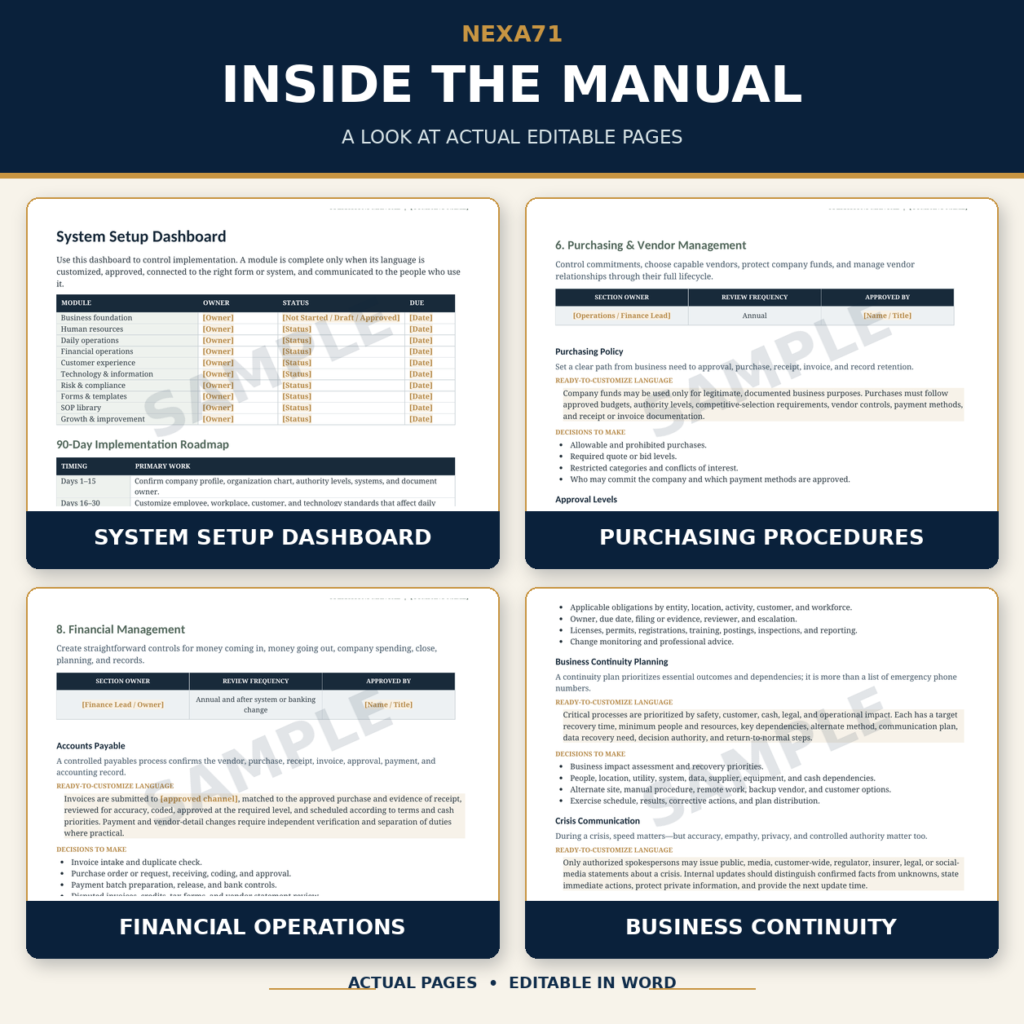
For owners who want a complete starting structure, The Business Operations System™ is available in the NEXA71 store. It includes an editable master operations manual, a Quick-Start Guide, an SOP Toolkit, and 28 customizable templates covering leadership, human resources, daily operations, vendors, finance, customer service, technology, risk, and growth.
It is designed to shorten the “Where do I even begin?” stage while leaving the company-specific decisions in your hands.
Build a Business That Does Not Need Every Answer to Live in Your Head
SOPs are not about turning a small business into a bureaucracy. They are about making good work repeatable.
When procedures are clear, employees spend less time guessing. Managers spend less time correcting avoidable misunderstandings. Customers receive a more consistent experience. The owner can delegate with greater confidence. And when something changes—a key person leaves, a new location opens, a system fails, or the company grows—the business has a stronger foundation from which to respond.
Start with one process that causes repeated confusion. Define the outcome. Capture what actually happens. Simplify it. Write the steps in plain language. Test the instructions with someone else. Then put the approved procedure where people can find it.
Repeat that cycle, and you will gradually build more than a collection of documents. You will build a business operating system.
If you are ready to begin with an organized, editable framework, explore The Business Operations System™ or view the complete product in the NEXA71 store.
Helpful Resources
- U.S. Small Business Administration: Business Guide
- U.S. Small Business Administration: Manage Your Finances
- Ready.gov: Emergency Plans for Businesses
- Ready.gov: IT Disaster Recovery Plan
- NIST: Cybersecurity Framework 2.0 Small Business Quick Start Guide
- OSHA: Resources for Small Businesses
Important: This article provides general business information. It is not legal, tax, accounting, cybersecurity, safety, or human resources advice. Requirements vary by location, industry, workforce, and business activities. Consult qualified professionals when developing policies or procedures that affect compliance, employee rights, safety, financial controls, data protection, or contractual obligations.
Leave a Reply
You must be logged in to post a comment.